
Jai Club iPhone: How To Add The Web App To Your Home Screen
To play Jai Club on iPhone, you open the mobile website in Safari and save it to your home screen. It takes under a minute, and you get an icon that opens the site in its own full-screen window, much like an app.
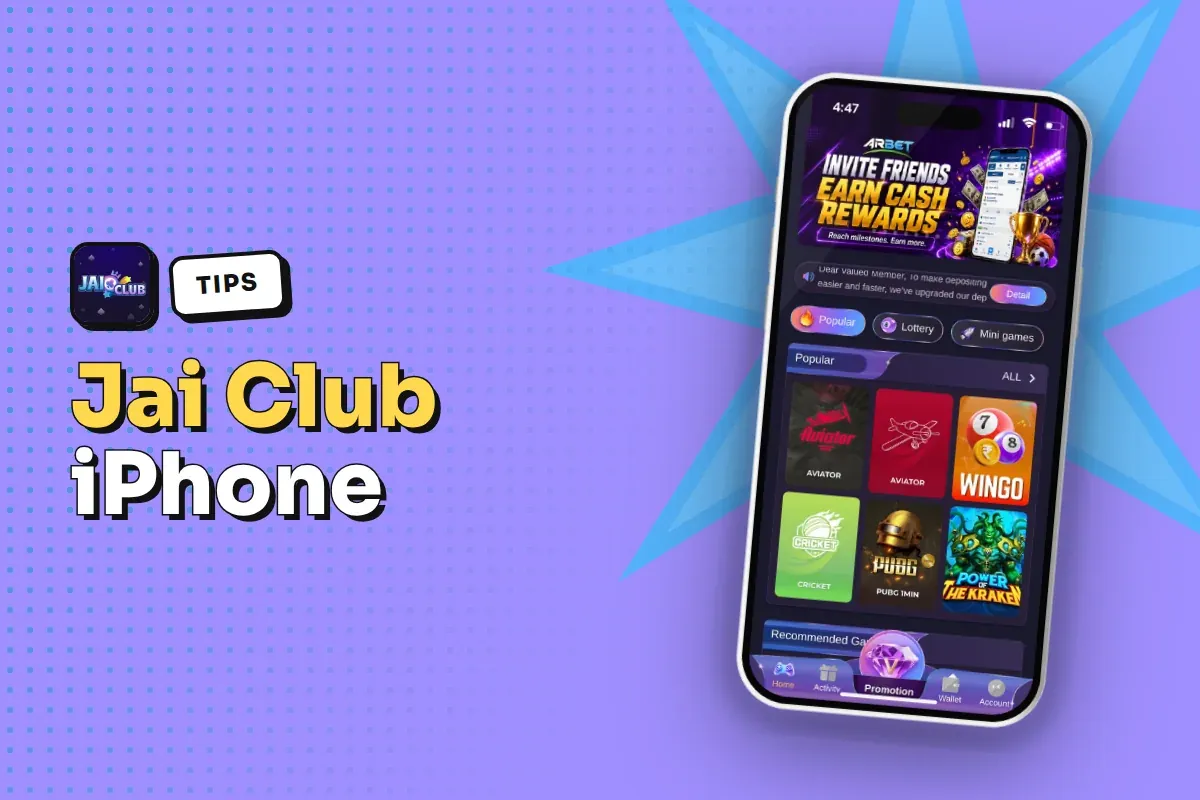
There is no APK for iPhone, because APK files only work on Android. So any page offering you a Jai Club iOS app as a download file from outside the App Store should make you careful. The home-screen shortcut is the clean route, and it always loads the live site.
Below you will find the exact Safari steps, how to confirm you are on the real domain before you save it, and what to do if the icon misbehaves later.
- Works On
- IPhone with Safari
- APK For iOS
- Not available
- Invite Code
- 385987864126
- Who Can Play
- 18+ only
Jump To Section
Is There A Jai Club iOS App For iPhone?
The download button on the Jai Club homepage leads to a download page with quick and complete installation options, and the installable file there is aimed at Android phones. An iPhone cannot open an APK file at all, so tapping it on iOS does nothing useful.
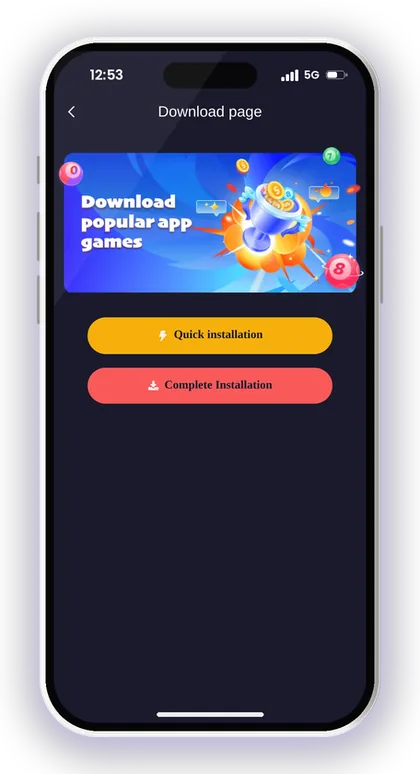
That is why iPhone players use the web app method instead. You save the mobile website to your home screen, and from then on it opens from its own icon without the Safari address bar getting in the way.
Users on Android can still pick up the standard installer from the Jai Club app download page. Anyone who moves between an Android handset and an iPhone logs in to one shared account, so the balance and past records remain together.
Why Apple Phones Cannot Install An APK
APK is Android's own package format, and iOS simply does not read it. Apple only lets normal users install apps from the App Store, so a file downloaded through Safari cannot become an app on your iPhone.
New players sometimes download the APK on an iPhone, see a file in the Files app and think something went wrong. Nothing broke. Delete that file and use the home-screen method instead.
Is The Web App As Good As A Real App?
For daily use it does the same job: you log in, open Win Go, K3, 5D, Trx Win Go, slots and casino games, and use the Wallet. Everything runs from the live site, so you always see the latest version.
The one trade-off is that it depends on a steady internet connection, just like the app does on Android. There is nothing to update by hand, which actually saves iPhone users a step.
Smart Tip: If any page asks you to install a profile or certificate to get the Jai Club iOS app, close it and use the Safari method instead.
How To Add Jai Club To Your iPhone Home Screen In Safari
Use Safari for this, not Chrome or an in-app browser inside WhatsApp or Telegram. Safari gives you the cleanest Add to Home Screen option, and links opened inside chat apps often load in a small browser that cannot save a shortcut properly.
Before you start, make sure the page you open is the real site. The next section shows how to check that, and it is worth doing first, because the icon will keep pointing to whatever address you save.
- Open Safari on your iPhone.
- Type the official Jai Club address in the address bar, or open it from a trusted official link.
- Wait for the homepage to load fully and check the address once more.
- Tap the Share button (the square with an arrow pointing up) at the bottom of the screen.
- Scroll down the share menu and tap Add to Home Screen.
- Keep the name as Jai Club or edit it so you can spot it easily.
- Tap Add in the top right corner.
- Go to your home screen and tap the new icon to open the site.
Smart Tip: Do the Jai Club add to home screen step from the homepage, not from a deposit or game page, so the icon always opens the main lobby.
How To Check You Are On The Jai Club Official Website
Saving a fake site to your home screen is the most costly mistake an iPhone player can make, because the icon looks trusted every time you tap it. Copy sites often use names that differ by one letter or add an extra word.
The platform itself warns that its customer service will never send links to members. If someone on WhatsApp or Telegram claims to be Jaiclub support and sends you a link, do not open it. Get the address from the Jai Club official link page instead.
Signs Of A Fake Jai Club Site
A fake site often asks for your password or OTP on a page that does not match the normal login screen, or pushes a deposit straight away. Spelling mistakes in the address, strange extra words and pop-ups asking for a profile install are all warning signs.
Also be careful with sites that show bonus offers you cannot find on the Activity page after you log in. If the offer only exists in a chat message, treat it as false.
What To Check Before You Tap Add
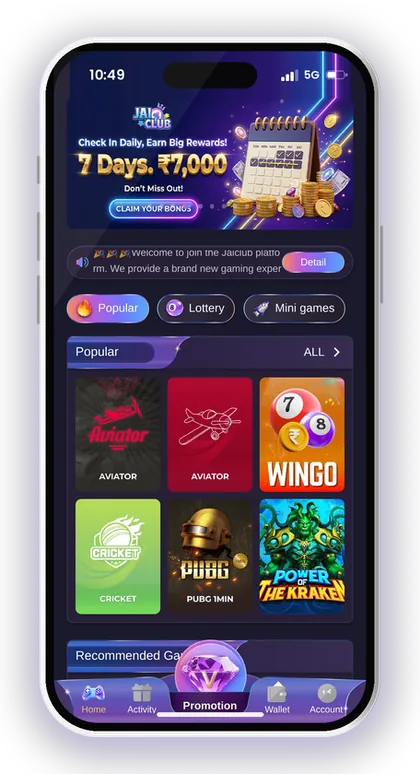
Look at the full address in the Safari bar, letter by letter. Then check that the page has the usual layout: the game tabs for Lottery, Mini games, Slots, Fishing, Casino and Sports, and the bottom bar with Promotion, Home, Activity, Wallet and Account.
If anything looks different, close the tab and open the official link again. Thirty seconds of checking here protects every deposit you make later.
Smart Tip: Never share your OTP with anyone, even when the caller says they are from support.
Logging In From The Jai Club Home-Screen Icon
When you tap the icon, the site opens on the homepage. Tap Account at the bottom and you reach the login screen, where you can sign in with your phone number (with the +91 India code) or your email, plus your password.
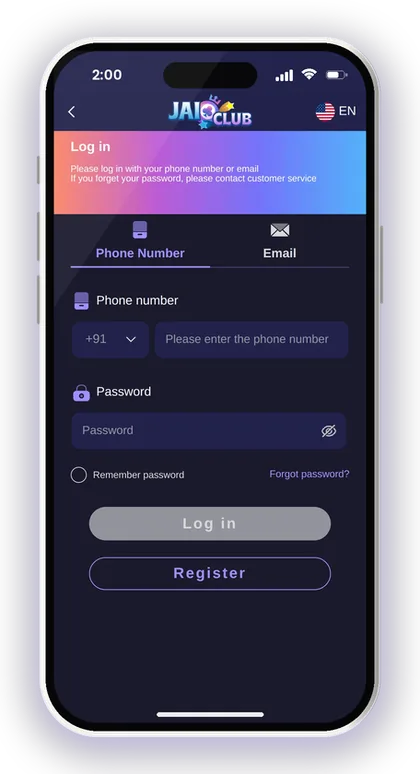
Turn on Remember password only if the iPhone is yours alone. On a shared family phone, leave it off so nobody else can open your Wallet. If you get stuck at this point, the Jai Club login help page covers common sign-in problems.
Forgot Your Password On iPhone?
Tap Forgot password on the login screen, enter your registered phone number, set a new password twice, tap Send for the OTP, fill it in, accept the Privacy Agreement and tap Reset. The login screen also says you can contact customer service if you forget your password.
A common mistake is typing a different phone number from the one used at sign-up. The OTP only goes to the registered number, so check it before you request the code.
Why Am I Logged Out Every Time I Open The Icon?
The home-screen web app keeps its own storage, separate from normal Safari tabs. If you clear Safari history and website data, or use Private Browsing, your saved login can disappear.
Log in once from the icon itself, not from a Safari tab, and avoid clearing website data. If it still logs you out, delete the icon and add it again from the official address.
How To Register On Jai Club From Your iPhone
New players can begin registration using the icon on the home screen. The form needs a phone number or email, a password, a repeat of that password and an invite code. Since the invite code is mandatory, registration cannot be completed without it.
Use 385987864126 as your invite code. Set a strong password: the Beginner's Guide asks for 8 characters mixing capital letters, small letters and numbers.
- Tap the Jai Club icon on your home screen.
- Tap Account at the bottom, then Register.
- Enter your phone number with the +91 code, or choose email.
- Set your password and type it again to confirm.
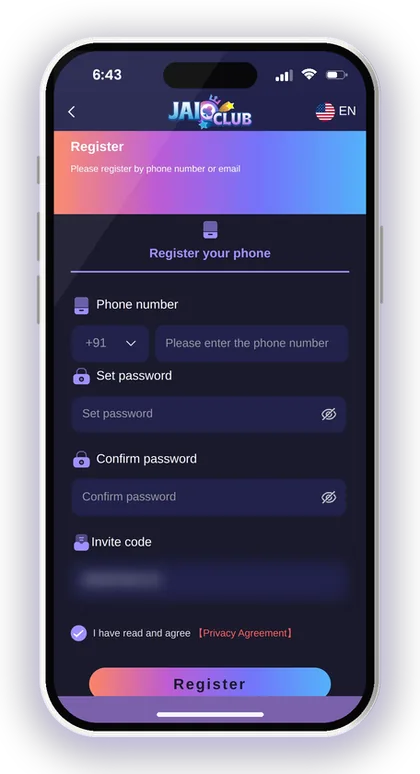
- Enter 385987864126 in the Invite Code field.
- Tap Send and type the verification code sent to your phone.
- Please check the box to confirm that you accept our Privacy Agreement before moving on.
- Tap Register, then log in from the same icon.
Smart Tip: Use a phone number you will keep, because password resets send the OTP to that number.
Deposits And Withdrawals On The Jai Club iPhone Web App
Money works the same way on iPhone as on Android. Tap Wallet, then Deposit or Withdraw. For deposits you choose UPI, USDT or ARPay, enter the amount and pay; on UPI you scan the QR code with any UPI app such as PhonePe, Google Pay or Paytm.
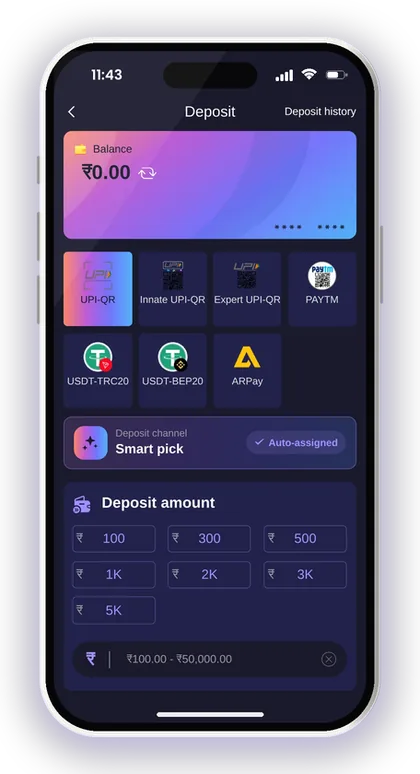
One iPhone-specific trap: when you switch to your UPI app to pay, the web app may reload when you come back. Do not cancel the order or create a second one in a panic. The deposit page clearly says not to cancel after money has been sent, and the amount you pay must match the order exactly.
For current limits and timings for each method, see Jai Club minimum deposit and withdrawal limits. If a request is stuck, the page on a Jai Club withdrawal pending or rejected explains what to check.
Say Your UPI Deposit Does Not Show
Say you pay ₹500 by UPI, return to the icon and the Balance has not changed. First check Deposit history under Account, then keep your UPI reference number from the payment app.
Do not pay again for the same order. If it still does not show, send the transaction number to customer service from inside the app, never to a contact who messaged you first.
Add Your Bank Or UPI Before You Need It
To withdraw, you must first save a bank account, UPI ID or USDT address. Once your first payout account is saved, the name on it is locked, and each method added afterwards must carry that same name.
Use your actual name exactly as your bank has it on record. The UPI page also warns against making your mobile number your UPI ID, which helps prevent fraud.
Smart Tip: Take a screenshot of your UPI payment success screen every time you deposit; it makes any later check much faster.
Fixing Common iPhone Web App Problems
Most problems with the home-screen icon come from network issues or saved website data, not the account. A few simple checks fix nearly all of them.
If a game such as WinGo 30s freezes mid-round, do not keep tapping bets. Check your result in My history once the page reloads, because a bet placed before the freeze may already be counted.
The Icon Opens A Blank White Screen
Most often the cause is a poor network or an outdated cached page. Alternate between Wi-Fi and mobile data, then remove the web app from the app switcher and launch it once more.
If it stays blank, open the official address in Safari. If Safari loads it fine, delete the icon and add it again from that working page.
The Icon Opens A Different Website
This is serious. It means the shortcut was saved from a wrong or redirected address. Delete the icon at once and do not log in on that page.
Then get the correct address from the official link page, check it in Safari, and add the icon again. If you entered your password on the wrong site, change it immediately.
Smart Tip: Keep iOS updated; older Safari versions are the usual reason a web app loads slowly or looks broken.
Jai Club Hack Apps And Fake iOS Downloads
There is no Jai Club hack, and no app can tell you the next Win Go colour or number. Results are random. Any site or Telegram group selling a so-called hack app or prediction tool for iPhone is a scam aimed at your money or your login.
These sellers often ask you to install a configuration profile on your iPhone. That can give a stranger control over parts of your phone. Say no to every profile install linked to gaming.
How Scammers Target iPhone Players
The usual pattern is a message offering a special iOS version with extra bonus or winning tips, plus a link. Once you log in there, your details are stolen, or you are asked to pay a fee first.
The real platform says its customer service never sends links. That single rule filters out most of these tricks.
Play Within A Budget You Can Lose
Only players aged above 18 can use Jai Club, and gambling can turn into a habit that is hard to break. Decide on a weekly limit before you deposit, and stop playing once you reach it.
Don't increase your stakes to recover losses during the fast 30-second rounds. Laws on real-money gaming also differ across states, so check what holds true where you live.
Jai Club App On iPhone Vs Android APK
Both routes give you the same account, games and Wallet. The difference is only how the app gets on your phone and how it updates.
For more how-to articles on payments, bonuses and games, browse the Jai Club blog.
| Point | iPhone Web App | Android APK |
|---|---|---|
| How you get it | Safari, Add to Home Screen | Download page installer |
| File to install | None | APK file |
| Updates | Always live site | Install newer version when needed |
| Account | Same login | Same login |
| Main risk | Saving a fake address | Installing a fake APK |
Smart Tip: Whichever phone you use, get the address or file only from the official link.
Your Questions Answered
Can I download a Jai Club APK on iPhone?
No. APK files only work on Android. On iPhone you open the official site in Safari and use Add to Home Screen to get an app-like icon.
Is there a Jai Club iOS app in the App Store?
Use the Safari home-screen method on iPhone. Be careful with any page asking you to install a profile or certificate to get an iOS app, because that is a common scam.
Do I need an invite code to register on iPhone?
Yes, the register page requires an invite code. To finish signing up, enter 385987864126 in the Invite Code box.
Why does the home-screen icon log me out?
Clearing Safari history and website data, or using Private Browsing, can remove the saved login. Log in from the icon itself and avoid clearing website data.
Can I deposit and withdraw from the iPhone web app?
Yes. Tap Wallet, then Deposit or Withdraw. Deposits work by UPI, USDT or ARPay, and withdrawals go to a saved bank account, UPI ID, USDT address or ARPay.
Does Jai Club support send links on WhatsApp?
No. The platform states its customer service never sends links to members. Do not open links from anyone claiming to be support.
Is there a Jai Club hack app for iPhone?
No. Every result in these games comes down to chance, so no app can foresee it. Any hack or prediction app is a trick to take your money or steal your login details.
More Pages For You
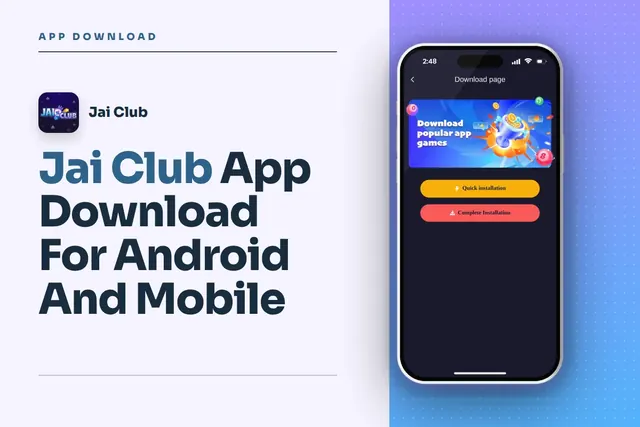
Jai Club app download steps for Android: find the button on the homepage, pick Quick or Complete Installation, register with invite code 385987864126.
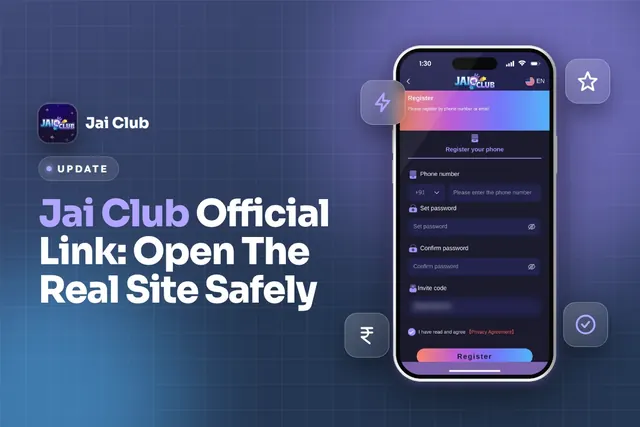
Jai Club official link: spot the real site, register with invite code 385987864126, log in safely, download the app and avoid fake links and scams.
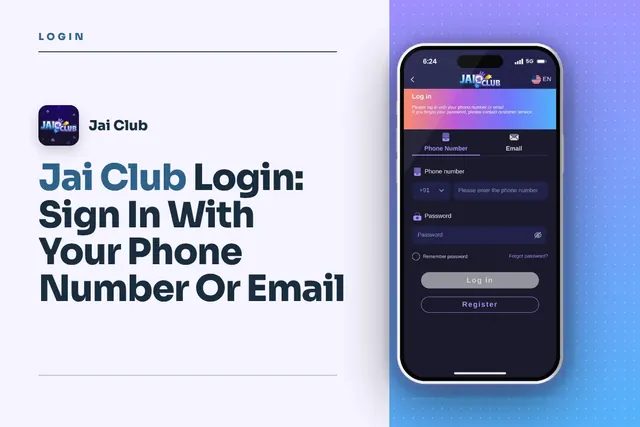
Jai Club Login with your +91 mobile number or email, reset a forgotten password via OTP, fix common sign-in issues and avoid fake links.
Jai Club withdrawal pending or rejected? Check bet requirement, bank, IFSC and UPI details, withdrawal hours, the 3-per-day limit and USDT confirmations.
Join Jai Club Today
Create your Jai Club account with the official link and the invite code applied.