
Jai Club ARPay: How To Activate AR Wallet And Withdraw
Jai Club ARPay is the withdrawal and deposit option that connects your game balance to AR Wallet, a third-party payment service that uses a digital currency called ARB. You withdraw your balance to AR Wallet, then sell the ARB through UPI to get rupees in your bank account.
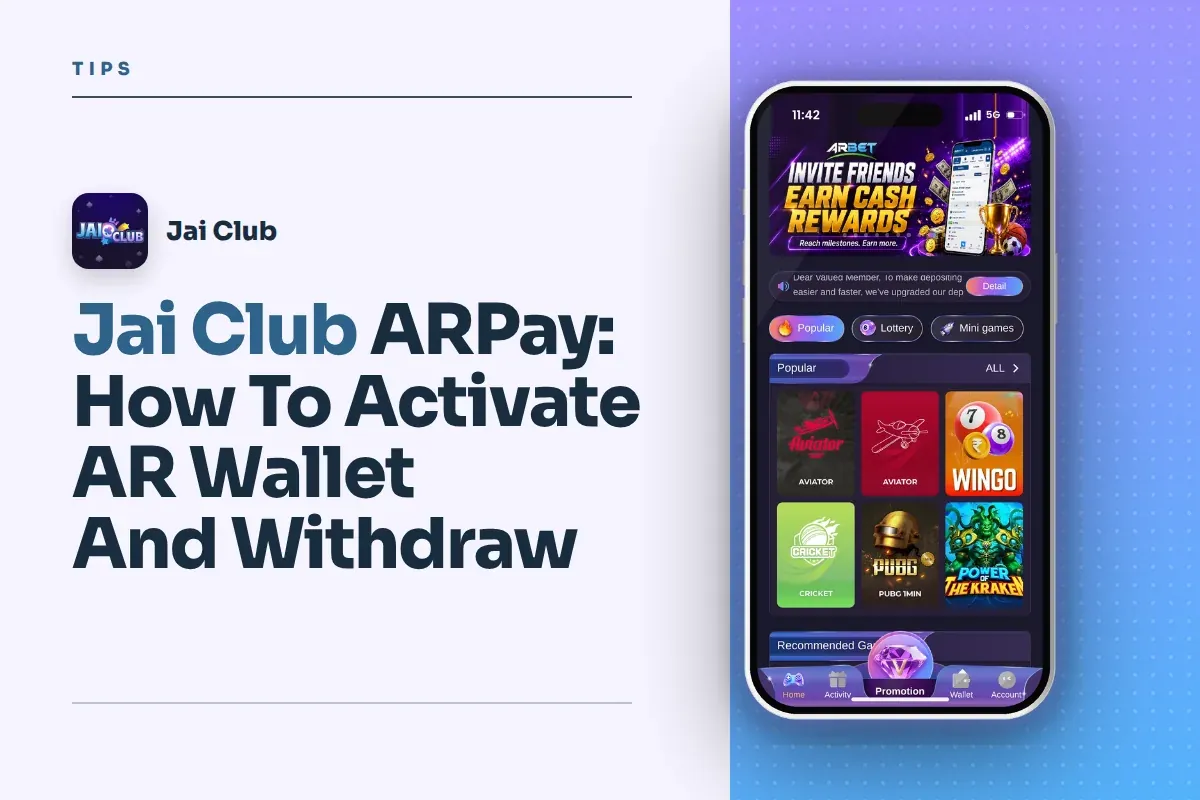
The idea is simple. Your money leaves the platform as ARB rather than as a direct bank transfer, so the bank limits and failed transfers that often hold up normal withdrawals affect you less. When you want to play again, an AR Pay recharge takes about 5 seconds.
Below you will find how to activate the wallet, how the money moves at each stage, what to read in the AR Pay transaction rules before your first transfer, and the mistakes that cost new players time.
- What It Is
- Third-party payment wallet
- Currency Used
- ARB digital currency
- ARPay Recharge Time
- About 5 seconds
- Getting Rupees
- Sell ARB through UPI
Jump To Section
What Are AR Wallet And ARB On Jai Club?
AR Wallet is a third-party payment service that the platform describes as a way to make fast payments using ARB, a digital currency. It is not part of your game account. Think of it as a separate wallet sitting between your Jai Club balance and your bank.
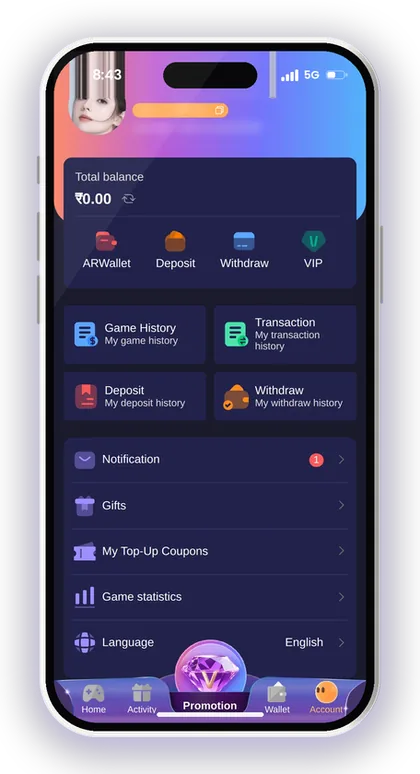
On the withdraw screen it appears as the first tab, named ARPay, next to Bank Card, UPI and USDT. The same ARPay tile also shows on the deposit page, so one activated wallet handles money going in and coming out.
The main point to understand is that ARB is the middle step. Your rupee balance becomes ARB in AR Wallet, and you turn that ARB back into rupees by selling it through UPI. You are never paid directly into your bank by the game when you choose this route.
Is ARB The Same As USDT?
No. ARB is the digital currency used inside AR Wallet, while USDT is a separate crypto option with its own deposit and withdraw tabs. They are handled in different places and follow different rules.
New players often mix them up because both are digital. If you send ARB thinking it is USDT, or the other way round, the transfer can fail or be lost. Keep the two completely separate and use the ARPay tab only for AR Wallet.
Where Do You See AR Wallet In The App?
You find it in three places: the ARPay tab on the withdraw screen, the ARPay tile on the deposit page, and the ARWallet entry at the top of your Account page. The Activity page also lists AR Wallet events.
A notice saying your AR wallet isn't active yet means you must activate it before anything else will work. New accounts commonly see this notice, so it isn't an error and it doesn't mean your account has been blocked.
Smart Tip: Treat AR Wallet as a separate account with its own rules, not as a part of your game balance.
Why Players Choose ARPay Withdrawal Over A Bank Transfer
The platform gives one main reason: ARPay reduces bank transaction issues while you play, so you do not need to worry about bank limits. You only sell ARB to UPI when you actually need the rupees.
Direct bank withdrawals from gaming apps sometimes get stuck because of a wrong IFSC code, bank server delays or daily limits on the receiving account. With ARPay, the withdrawal from the game to AR Wallet happens first, and the bank only gets involved when you sell.
The platform also says you can earn additional rewards when you sell ARB through UPI. The exact reward is not shown on the withdraw tab, so read the AR Pay transaction rules and the AR Wallet event on the Activity page before you count on any extra amount.
When A Direct UPI Or Bank Withdrawal Makes More Sense
If you withdraw rarely and your bank details are already saved and correct, a normal UPI or bank withdrawal is fewer steps. You do not have to manage a second wallet or a selling step.
ARPay suits players who move money in and out often. Say you withdraw ₹2,000 today and want to play again tomorrow: keeping it as ARB lets you recharge in seconds instead of waiting for a fresh UPI deposit to clear.
The Trade-Off You Should Accept
The cost of convenience is one extra party in the chain. Your money sits with a third-party wallet for a while, so you depend on its rules and its selling process, not only on the game.
That is why experienced players never park large amounts in any middle wallet longer than needed. Move to AR Wallet, sell to UPI and confirm the rupees in your bank before you treat a withdrawal as finished.
How To Activate The Jai Club AR Wallet
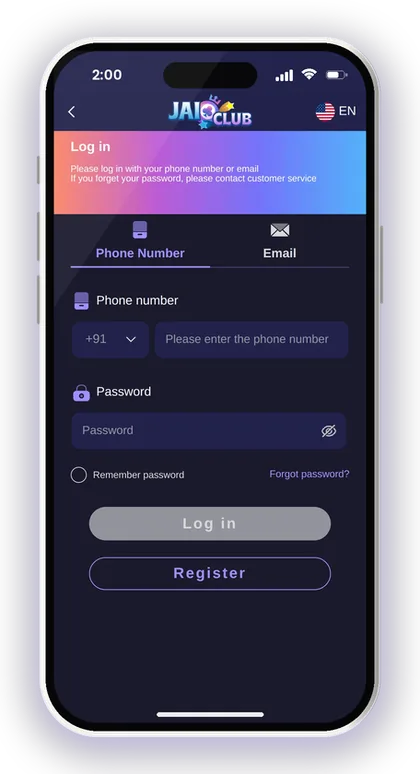
Activation starts from the Withdraw screen inside the app. Before you begin, make sure you can log in and your phone number is working, because most wallet services confirm your identity by OTP.
New users who don't have an account yet should go to the Register page, key in a mobile number, create a password and put 385987864126 in the Invite Code box. Without an invite code, the sign-up can't be completed. More details on creating an account are on the Jai Club sign up page.
Once logged in, follow these steps in order. Read each screen fully, because the activation page explains its own conditions.
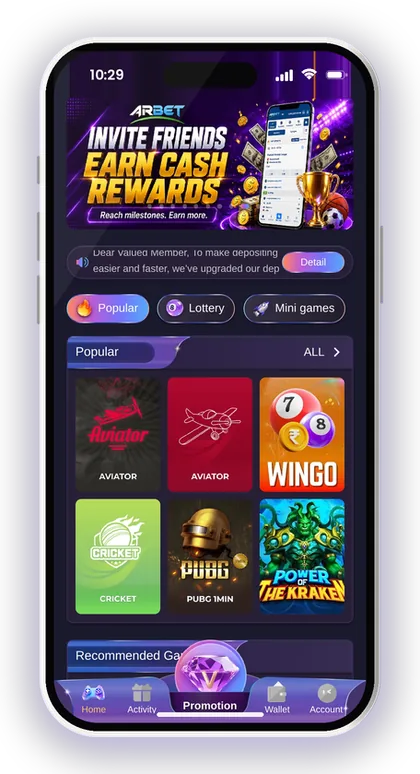
- Log in and tap the Wallet icon at the bottom of the screen.
- Tap Withdraw and stay on the first tab, ARPay.
- You will see that your AR wallet is not activated yet; tap Activate (or activate AR wallet).
- Open How to activate AR wallet and read it before filling anything.
- Complete the activation details that appear on screen and confirm.
- Return to the ARPay tab and check that the not-activated message has gone.
Smart Tip: Use the same name and mobile number you use for your UPI ID, so the selling step later does not get rejected for a name mismatch.
Common AR Wallet Activation Problems And Fixes
Most activation trouble comes from login or OTP issues, not from the wallet itself. Fix your account access first, then try again.
If you have forgotten your game password, reset it before you start; the steps are in the Jai Club forgot password help page. Trying activation on a half-logged-in session often just reloads the same screen.
The Activate Button Does Nothing
A slow or blocked connection is the usual cause. The Activity page even promotes installing 1.1.1.1 for a faster experience, which points to network issues being common on some mobile networks.
Change from Wi-Fi to mobile data or the other way round, then shut the app completely and relaunch it. If you're on the mobile website, use the Jai Club app download for Android instead, because an installed app generally holds the session more steadily.
Someone Sends You An Activation Link
Don't tap on it. The platform states plainly that its customer service never sends links to members, so whoever sends one may be after your account or personal data.
Activate only from the ARPay tab inside your own logged-in account. Never share OTPs with anyone claiming to be support. The same goes for anything sold as a Jai Club Hack: no hack exists, and such apps are scams built to take your login details.
Smart Tip: If activation still fails after a restart, use Customer Service from your Account page rather than any outside contact.
How To Move Your Balance From Jai Club To AR Wallet
After activation, the ARPay tab lets you withdraw your game balance to AR Wallet. The platform describes this as the only thing you need to do on the game side.
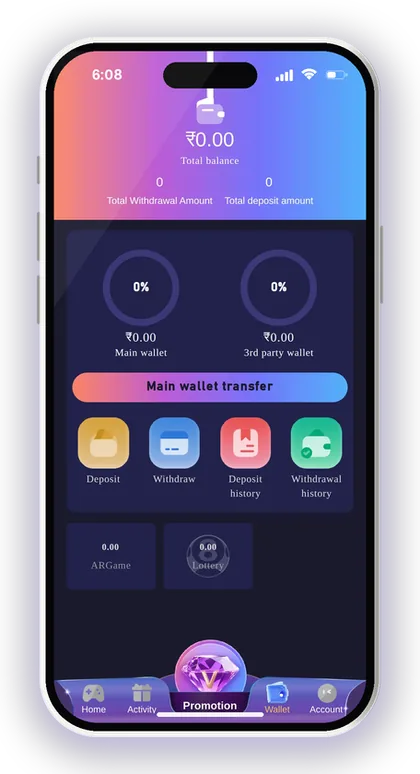
Before withdrawing, check that your betting requirement is complete. The Beginner's Guide says your total bet should already be at 0 before a withdrawal, which means any required turnover on deposits or bonuses has been played through.
Also check the Wallet page. It separates the Main wallet from the 3rd party wallet, and money sitting in a third-party game wallet may need a Main wallet transfer first. Many players think their balance is missing when it is only parked in a game.
What To Check Before Pressing Withdraw
Check three things: your Main wallet shows the amount, your remaining bet requirement is zero, and the AR Pay transaction rules allow the amount you want. Missing any one of these is the most common reason a request is refused.
Also note the number of withdrawals you have made today. Other withdrawal methods show a daily count, so splitting one amount into many small requests is a bad habit. Plan one clean withdrawal instead.
How To Confirm The Transfer Worked
Open Withdrawal history from the Withdraw screen or the Account page and find the request. Then open AR Wallet and confirm the ARB balance has increased.
If the game shows the withdrawal but AR Wallet does not, wait a short while and refresh before contacting support. Keep the time and amount ready. For general delays and the normal timeline, see the Jai Club withdrawal time and pending help page.
Smart Tip: Do a small first transfer to learn the process before you move a larger amount.
Selling ARB Through UPI To Get Rupees
In AR Wallet, you sell ARB through UPI and get rupees credited to your bank account. Since this is the step that really moves money into your bank, take the most care here.
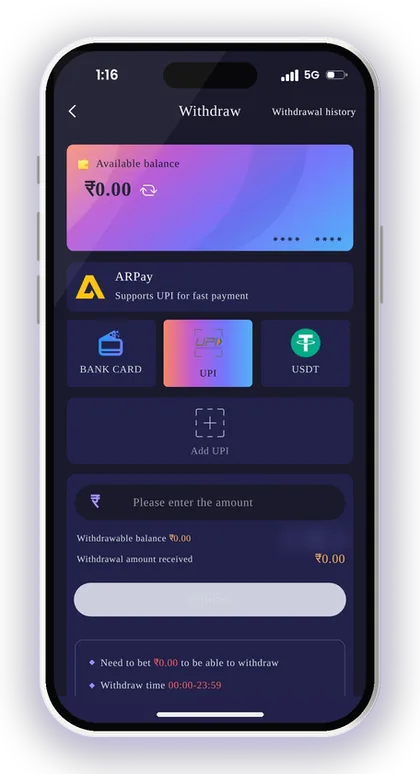
Choose a UPI ID that is registered under your own name. The game's UPI screen itself cautions against using your phone number as the UPI ID, as that can make you open to fraud. The same caution holds for the UPI ID you use when selling ARB.
After the sale, check your bank app or UPI app for the credit, not just the AR Wallet screen. A completed sale on one side and no credit on the other is something you should report quickly, with the transaction reference.
Can You Keep ARB Instead Of Selling?
Yes, the platform describes it as an advantage: you convert to UPI only when you need the money. If you hold on to your ARB, you can top up your game balance quickly through AR Pay.
The risk is discipline. Money that is one tap away from your game balance is easy to play again on impulse. If you withdrew to stop playing, sell the ARB and move it to your bank the same day.
Mistakes That Delay The Rupee Credit
The usual mistakes are a mistyped UPI ID, a UPI account in someone else's name, and selling while your bank app is down for maintenance. Each one causes a failed or slow credit.
Copy and paste your UPI ID rather than typing it, and check the name shown when you verify it. Also remember the platform locks your first payout name, and later withdrawal methods must use the same name.
What To Check In The AR Pay Transaction Rules
The ARPay tab has an AR Pay transaction rules link with a Check button. Read it before your first transfer, because it holds the details the tab itself does not show.
The withdraw tab does not show an ARPay amount range or time window, unlike the UPI, bank and USDT tabs. So the rules page, or the screen inside AR Wallet, is where you confirm the current limits. These are the points worth finding there:
- The minimum and maximum amount for one ARPay withdrawal.
- Any time window when ARPay withdrawals are allowed.
- How long the ARB takes to reach AR Wallet.
- Any fee or rate used when you sell ARB for rupees.
- The conditions for the extra reward on selling ARB.
- What to do if a transfer fails or stays pending.
| Method | Where money goes | Best for |
|---|---|---|
| ARPay | AR Wallet as ARB, then sold to UPI | Frequent players who want quick recharges |
| UPI | Directly to your UPI account | Simple, occasional withdrawals |
| Bank Card | Directly to your bank account | Players with saved, correct bank details |
| USDT | To your USDT address | Players who already use crypto |
Smart Tip: Take a screenshot of the rules on the day you withdraw, since the platform can change event and payment terms.
Using ARPay For A Fast Jai Club Deposit
ARPay works in the other direction too. The platform says a recharge from AR Wallet to your game balance through AR Pay takes about 5 seconds.
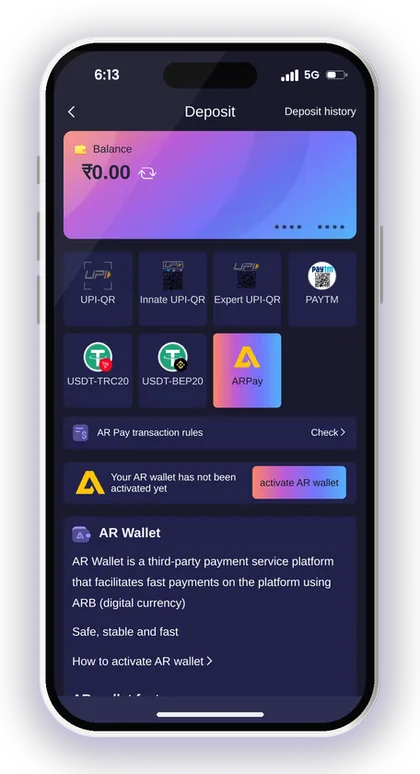
On the deposit page, choose the ARPay tile. If your wallet is not activated, you will see the same activation prompt as on the Withdraw screen. Once active, the ARB in your wallet can top your game balance up quickly.
The Activity page also lists an event called AR WALLET Top Up with ARBPay and another named AR WALLET Increase Earnings with Fast Withdrawals. Open each one to read its current conditions before planning around a reward.
ARPay Vs UPI Deposit
A UPI deposit asks you to scan a code and pay the exact order amount, and the platform warns that a wrong amount may not be credited. ARPay skips the scanning step if you already hold ARB.
For a first deposit, UPI is often simpler because you do not need ARB yet. Full UPI and USDT steps are on the Jai Club deposit UPI page. ARPay becomes useful after you have withdrawn to AR Wallet once.
Keeping Your Playing Budget Under Control
Fast recharges make it easy to spend more than you planned. Results in games such as Win Go and K3 are random, and a quicker deposit does not change your chances.
Decide a fixed amount to play with each week and recharge no more than that. Once it's gone, stop playing. Gambling can become addictive, and only players aged 18 or above are allowed on the platform.
Smart Tip: Never recharge to win back what you lost; nothing drains a wallet quicker than that habit.
Should You Use ARPay Or A Direct Withdrawal?
Use ARPay if you play often, face repeated bank-side failures, or want quick recharges from your withdrawn money. Use direct UPI or bank withdrawal if you want the fewest steps and the money straight in your account.
Many players keep both ready. Bind a UPI or bank account once, using the Jai Club add bank account steps, and activate AR Wallet as a backup. If one route has a problem on a given day, the other is already set up.
For more help with payments and account settings, browse the Jai Club blog. Whatever route you pick, check your history on both sides after every transfer.
Smart Tip: Keep the same name on your game account, UPI and AR Wallet to avoid name-mismatch rejections.
Plus Points
- Reduces the bank transaction issues that often delay withdrawals.
- Recharge back to your game balance through AR Pay takes about 5 seconds.
- You sell ARB to UPI only when you need rupees.
- Extra rewards are offered when selling ARB through UPI, subject to the rules.
Minus Points
- Adds a third-party wallet and a selling step between you and your bank.
- ARPay limits are not shown on the withdraw tab; you must check the rules.
- Holding ARB makes impulsive re-deposits easier.
- Needs separate activation before first use.
Your Questions Answered
What is Jai Club ARPay?
ARPay is the payment option that links your game balance to AR Wallet, a third-party service using the ARB digital currency. You can withdraw your balance to AR Wallet and recharge from it back to the game.
How do I activate AR Wallet?
Go to Wallet, tap Withdraw and open the ARPay tab. Tap Activate, read How to activate AR wallet and complete the details on screen.
How do I get rupees from AR Wallet?
Sell your ARB through UPI inside AR Wallet. The rupees go to the UPI account you use, so make sure it is in your own name.
How fast is an ARPay recharge?
The platform states a recharge to your game balance through AR Pay takes about 5 seconds. You need ARB in your activated wallet first.
What are the ARPay withdrawal limits?
The ARPay tab does not list an amount range the way the UPI and bank tabs do. Tap Check next to AR Pay transaction rules to see the current limits.
Do I need an invite code to register before using ARPay?
Yes, the Register page requires an invite code. To finish signing up, put 385987864126 in the Invite Code field.
Is there a Jai Club Hack for AR Wallet rewards?
No. Any app or link claiming to be a hack or predictor is a scam built to steal your login or money. Activate and use AR Wallet only from inside your own account.
Why does my balance not show when I try to withdraw to AR Wallet?
Your money may be in the 3rd party wallet rather than the Main wallet, or your bet requirement may not be complete. Check the Wallet page and move funds back to the Main wallet first.
More Pages For You
Jai Club withdrawal time and limits: UPI from ₹100, bank card from ₹110, USDT from ₹1,000, 3 withdrawals a day. Steps and fixes for pending requests.
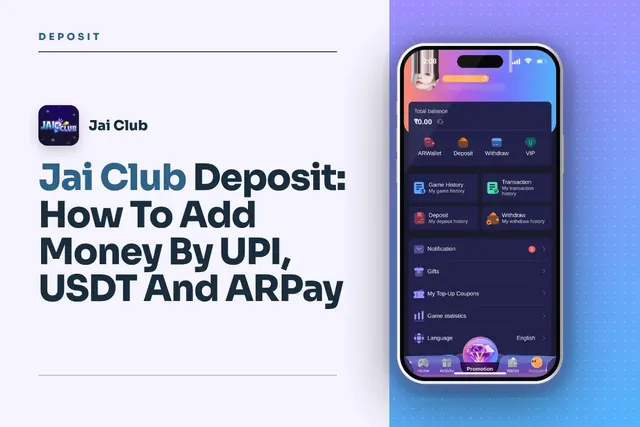
Jai Club deposit steps for UPI, USDT and ARPay, with the ₹100 to ₹50,000 UPI limits, USDT network tips and fixes when your recharge does not show.
Jai Club app download steps for Android: find the button on the homepage, pick Quick or Complete Installation, register with invite code 385987864126.
Jai Club forgot password help: reset your login with your phone number and OTP, change your password from Settings, and know when to contact Customer Care.
Join Jai Club Today
Create your Jai Club account with the official link and the invite code applied.