
Jai Club Fake Customer Care: How To Spot Fake Numbers and Links
Anyone posing as Jai Club customer care to get hold of your password, OTP or money is a fake agent. The platform clearly states that its support team will never send links to members, so if a so-called support person shares one with you, leave it untouched.
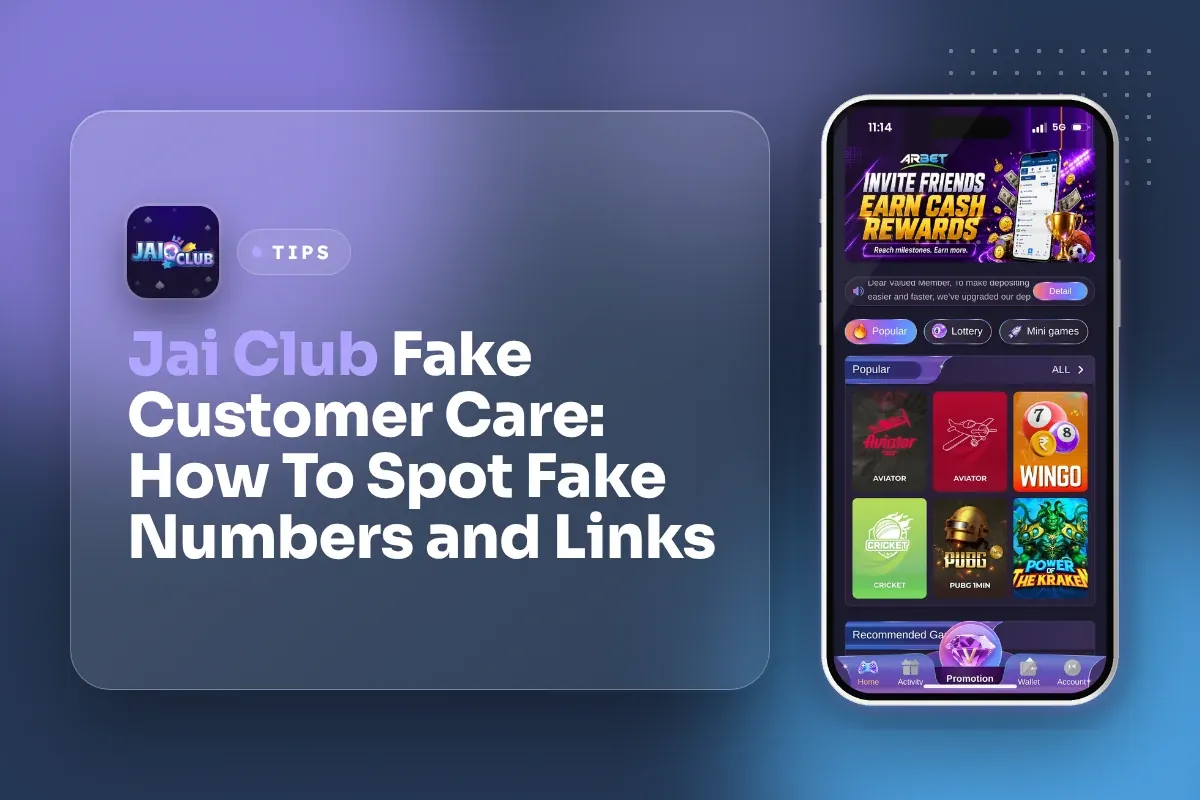
Real help sits inside your account. You open the Account page, tap Customer Service, and talk to support from there. You do not need to find a number on Google, YouTube or a Telegram group.
Below you will find the red flags that give fake agents away, the payment details you must never share, and what to do if you have already sent money or an OTP to a stranger.
- Support Sends Links?
- Never
- Where To Find Support
- Account page, Customer Service
- OTP Sharing
- Never share with anyone
- UPI ID Advice
- Do not use phone number
- Gift Codes From
- Your superior agent
- Minimum Age
- 18+
Jump To Section
Why Jai Club Fake Customer Care Scams Work
These scams succeed because players get anxious when their money seems stuck. Suppose you add ₹500 through UPI and your Balance stays the same for several minutes. You look online for a helpline, come across a number in a comment or on Telegram, and within seconds someone polite responds.
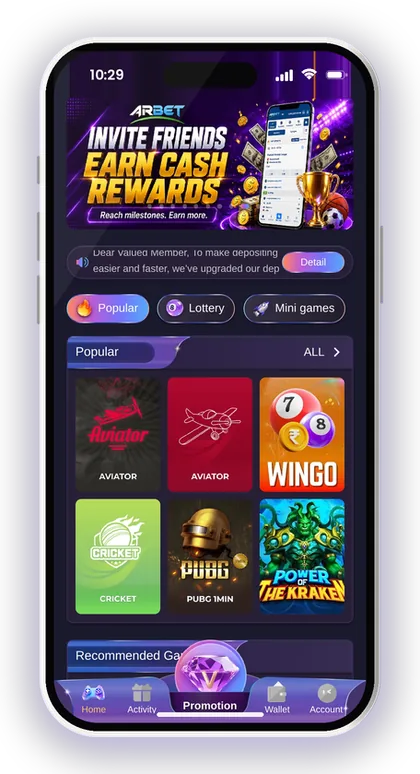
That speed is the trap. A scammer has nothing else to do but answer you, while real support follows a queue and checks your order first. The fake agent sounds helpful, uses words like order ID and verification, and then asks for one small thing: an OTP, a screen share, a link tap or a "refund fee".
A warning on the homepage says the same thing: customer service never sends links to members, and a link from anyone claiming to represent Jaiclub.com support may lead to hacking or data loss. Take that line as the core rule, since every other tip here builds on it.
Who Do Scammers Usually Target?
Scammers mostly target new players and anyone with a pending deposit or withdrawal. New players do not yet know where the Customer Service button is, so they look outside the app and land on fake pages.
Players who post complaints in public comment sections are also easy targets. The moment you write "my money is not credited" under a video, fake agents reply with numbers. Keep your problem inside the app and you remove most of the risk.
Is There A Jai Club Hack That Support Can Give You?
No. There is no Jai Club hack, and no real support agent will ever offer one. Results in games like Win Go, K3 and 5D are random, and nobody outside can tell you the next colour or number.
Anyone selling a "hack" app, a paid signal group or a prediction tool is running a scam. They usually take a fee by UPI and then block you. Some ask you to install an APK that reads your SMS and steals OTPs.
Smart Tip: If a stranger reaches you first, before you contacted anyone, assume it is a scam.
Red Flags Of A Fake Jai Club Support Agent
Most fake agents follow the same script, so the warning signs repeat. Learn them once and you will spot a fake within the first two messages.
The biggest giveaway is a request that real support has no reason to make. Support can see your account and orders on its side. It does not need your OTP, your login password, remote access to your phone or extra money to "unlock" a withdrawal.
- They send a link to "verify" your account or "claim a refund"
- They ask for an OTP, your login password or your UPI PIN
- They contact you first on WhatsApp, Telegram or a phone call
- They ask you to pay a fee, tax or deposit to release a withdrawal
- They push you to install a screen-sharing app or a new APK
- They rush you with lines like "your account will be blocked in 10 minutes"
- Their payment request goes to a personal UPI ID that is not from the Deposit page
Smart Tip: One red flag is enough to stop the chat; you do not need to see all of them.
Jai Club Scam Link And Telegram Group Warnings
A Jai Club scam link usually looks almost right. It may copy the colours, the logo and the login screen, but the address is slightly different. You type your phone number and password, and the scammer now owns your account.
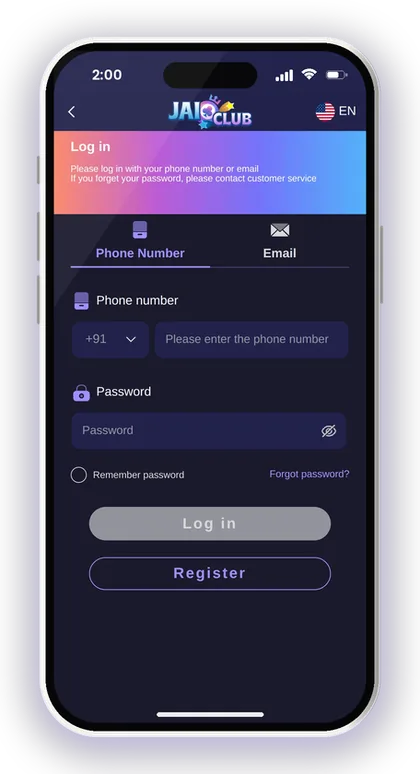
Groups that call themselves Jai Club telegram support, VIP signal rooms or "official agents" are not part of the in-app support. The platform says clearly that it does not send links to members, so a group that keeps sharing links is already breaking that rule.
How To Check The Site Address Before You Log In
Open the site only from a link you saved yourself, or from the Jai Club official link page. Before typing your password, look at the full address in the browser bar, letter by letter. A single extra letter or number is enough for a fake.
A common mistake is tapping a login link inside a chat "just to check". Once the fake page loads, many players type their details out of habit. Close the tab and go to the Jai Club login page the normal way instead.
Why Telegram Signal Groups Are Risky
Signal groups promise winning colours for each round, often for a paid membership. Since results are random, these groups share guesses and only advertise the wins. When you lose, they say you joined the wrong round.
The bigger risk comes later. After you trust the group, an admin offers to "recover losses" or "double your deposit" if you send money to a personal UPI ID. That money does not reach your Wallet and you cannot get it back from the app.
Smart Tip: Save the real site address as a bookmark on your phone once, and always open it from there.
Never Share Your OTP Or Password
The OTP is the key that lets someone reset your password. The Forgot Password process on the platform asks for your registered phone number, a new password and then the OTP sent by SMS. If a scammer has your OTP, they can set their own password and lock you out.
The Add UPI screen carries its own security notice: do not share OTPs or make any payments to unsolicited contacts claiming to be support. That warning sits right where you bind your payment details, which tells you how often this trick is used.
What A Real Agent Will Ask Instead
Real support will ask about your problem, such as the deposit order, the amount and the time, and may ask for a screenshot of the UPI payment receipt. Those details help them trace a transaction without touching your login.
If the person also asks for the OTP "to confirm it is you", stop. The app already knows it is you because you contacted support from inside your logged-in account. That is the whole point of using the Account page.
If You Already Shared An OTP
Change your login password right away. Go to Account, then Settings, then edit login password, enter the old one and save a new one. If you are already locked out, use Forgot Password with your registered phone number.
Next, check your Withdraw history and saved bank, UPI and USDT details for anything you did not add. Report it through Customer Service inside the app, and if money left your bank account, contact your bank and the cyber crime helpline too.
Smart Tip: Use a strong password with big letters, small letters and numbers, and do not reuse it on other apps.
Protect Your UPI, Bank And USDT Details
Scammers posing as agents often try to divert your money to some other account. When you reach the Add UPI page, you are advised to avoid using your phone number as your UPI ID, because an ID built from your number can be guessed easily and attracts fraudulent payment requests. Wherever possible, create a different UPI ID inside your UPI app.
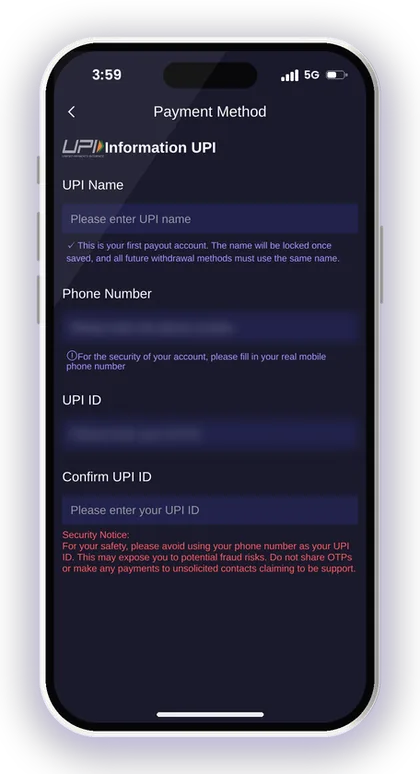
After your first bank account is bound, the name stored with it is locked, and any withdrawal option you add afterwards must show that identical name. This protects you, since a scammer cannot link an account in someone else's name. It also means you must type your real name correctly the very first time.
For crypto, double-check every USDT address you save. A wrong or swapped address cannot be reversed on the blockchain. Read how to add a USDT address and withdraw with USDT before your first crypto withdrawal, and the USDT-TRC20 deposit steps before you send any USDT in.
- Never add a bank account, UPI ID or USDT address that someone else gives you
- Never let anyone "help" by filling these forms over screen share
- Check your saved payment details after any suspicious chat
- Keep your phone number and email on your account up to date
Smart Tip: If someone asks you to bind their UPI ID "to receive your refund", it is a scam every time.
How To Reach Real Jai Club Customer Service
Real support is built into the Jai Club app and the mobile website. Log in, tap the Account icon at the bottom, scroll to the Service center area and tap Customer Service. The same area also has Feedback, Announcement and the Beginner's Guide.
Contacting support from inside your account is safer because you never leave the platform. There is no unknown number to call and no link to trust. For more on what support can and cannot fix, see the Jai Club customer care page.
- Open the app or the saved site address and log in
- Tap Account at the bottom of the screen
- Scroll down to the Service center section
- Tap Customer Service
- Describe your issue with the order time, amount and a payment screenshot
Smart Tip: Check Announcement and Notification first; many delays and maintenance notices appear there before you need to contact anyone.
Deposit Problems: What Real Support Needs
Usually, a fake agent scam begins when a deposit fails to appear. Before reaching out to anybody, go through the recharge rules on the Deposit page. The money you send has to match the order you generated, or it cannot be credited. When the transfer window expires, submit the deposit form once more.
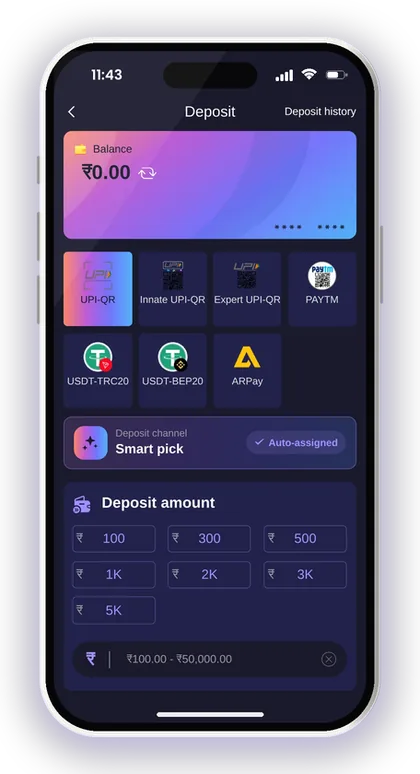
There is one rule you should not ignore: never cancel the deposit order once the payment has been made. Many players cancel out of panic, and that breaks the connection between their payment and their account. Leave the order open, capture a screenshot of the UPI receipt showing the UTR number, and send it to Customer Service within the app.
What To Do If The Deposit Does Not Show
Wait a few minutes and open Deposit history from the Account page to see the order status. Many delays clear on their own once the payment channel confirms. Refreshing your Balance too often does not speed it up.
If it still does not show, contact support from the app with the order details. Never pay a second amount to a stranger who says it will "push" the first one through. That second payment goes straight to the scammer.
Paying Only Through The Deposit Page
Every real deposit starts from Wallet, then Deposit, where you pick UPI, USDT or ARPay, enter the amount and pay the QR or address shown. If a person in a chat gives you a UPI ID or QR code instead, that money is not going to your account.
The platform also states it is not responsible if you transfer the wrong amount. So the safest habit is simple: create the order in the app, pay exactly that amount, and keep the receipt.
Smart Tip: Take the payment screenshot before you close your UPI app, so you have the UTR number ready.
Agents, Gift Codes And Fake Promises
The platform has a real referral system. The Promotion page shows your invitation link, invitation code, commission details and an "Agent line customer service" option for agency questions. Gift codes are entered from the Account page under Gifts, and the Beginner's Guide says you can ask your superior agent for gift codes.
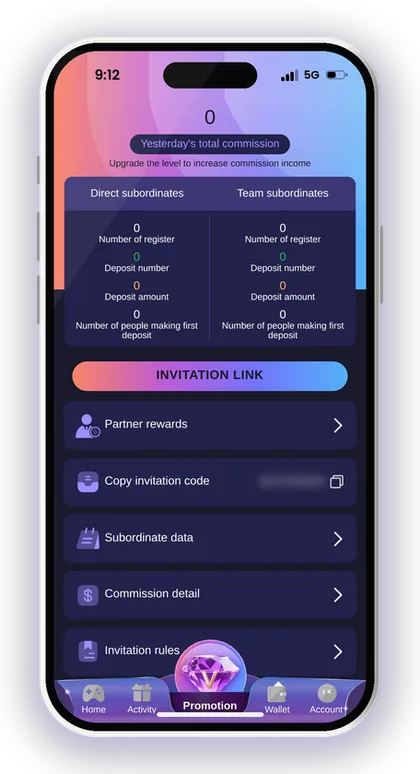
Scammers use this to pose as "senior agents". A real upline may share a gift code with you, but a gift code is free. If anyone asks you to pay, deposit to their personal UPI or share your login to "activate" a code or bonus, walk away.
Signing Up Safely With An Invite Code
The invite code is a required field on the Register page, next to your phone number and password. Enter 385987864126 in the Invite Code field, then request the verification code and register. You type the OTP into the form yourself; nobody else ever needs to see it.
A common trap is a "registration helper" who offers to create the account for you. Once they have your phone and OTP, the account is effectively theirs. Always register on your own phone.
Can Anyone Guarantee Wins Or Bonuses?
No. Bonus rules are written on the Activity page for each event, and game results are random. An agent who promises fixed profit, a sure colour or a doubled deposit is lying.
Read the rules of an event inside the app before you trust any claim. If the condition someone describes is not written there, treat it as false.
Quick Safety Checklist Before You Contact Support
Run through this short checklist each time a payment problem worries you. It takes less than a minute and blocks almost every fake support trick. More safety tips are on the Jai Club blog.
Real-money games carry the risk of loss. The platform only accepts players above 18, and it reminds you that gambling can be addictive, so set a fixed playing budget and never chase losses through "recovery" offers.
- I opened the site from my own bookmark or the app, not a chat link
- I am contacting Customer Service from the Account page
- I have not shared my OTP, password or UPI PIN with anyone
- I am paying only through the Deposit page order
- I have not added any bank, UPI or USDT details given by a stranger
Smart Tip: If you are unsure, stop and wait; real support will still help you tomorrow, but a scammer needs you to act now.
Your Questions Answered
Does Jai Club customer care send links on WhatsApp or Telegram?
No. The platform states its customer service will never send links to members. Any link from someone claiming to be support may lead to hacking or data loss, so do not tap it.
Where do I find the real Jai Club customer care?
Log in, tap Account at the bottom, and open Customer Service in the Service center section. Contacting support from inside your account means you never deal with unknown numbers.
Is there a Jai Club customer care phone number on Google?
Numbers posted on search results, comments or videos are not from the in-app support. Use the Customer Service option on the Account page instead.
Someone asked for my OTP to fix my deposit. What should I do?
Do not share it. Real support never needs your OTP. If you already shared it, change your login password from Account, then Settings, and report it to Customer Service inside the app.
Should I use my phone number as my UPI ID?
The Add UPI screen advises against it, because a phone-number UPI ID can expose you to fraud. Create a different UPI ID in your UPI app if possible.
Are Jai Club Telegram prediction groups real?
They are not part of the platform's support. Results are random, and these groups often end with requests to pay a personal UPI ID. Avoid them.
Can a support agent ask me to pay a fee to release my withdrawal?
No. A request for a fee, tax or extra deposit to unlock a withdrawal is a classic scam sign. Check your Withdraw history in the app and ask Customer Service there.
More Pages For You
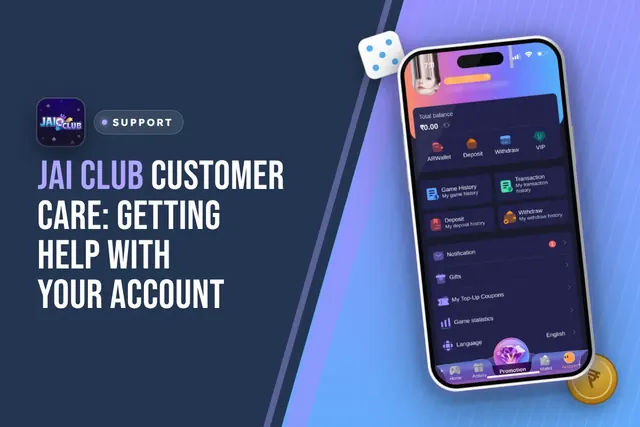
Jai Club customer care: where to find Customer Service in the app, what to send for deposit or withdrawal issues, login help and fake agent warnings.
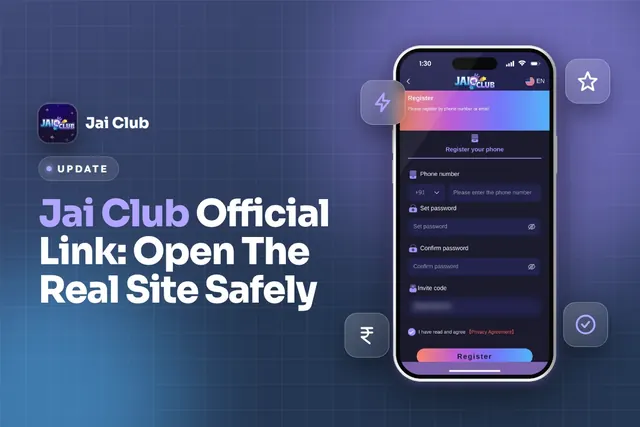
Jai Club official link: spot the real site, register with invite code 385987864126, log in safely, download the app and avoid fake links and scams.
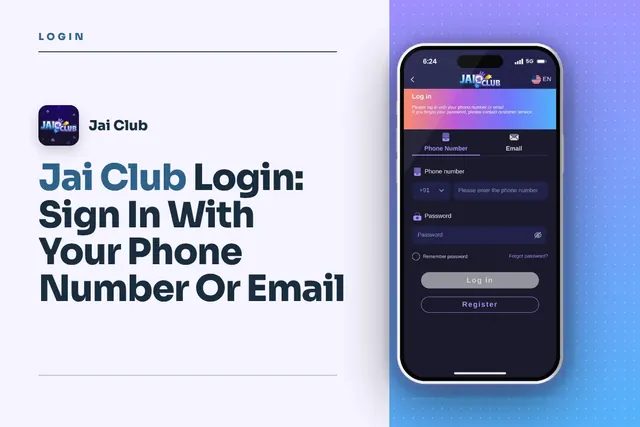
Jai Club Login with your +91 mobile number or email, reset a forgotten password via OTP, fix common sign-in issues and avoid fake links.
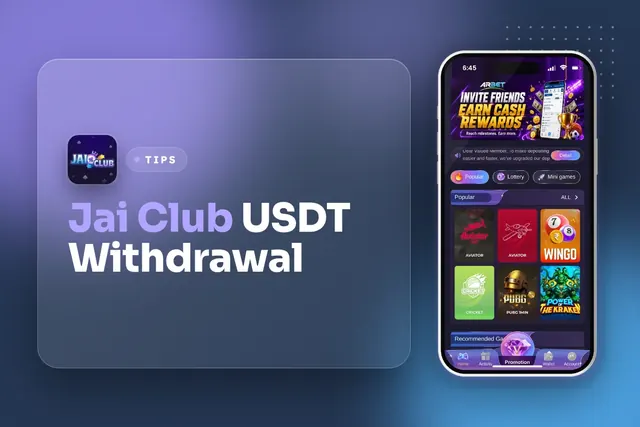
Jai Club USDT withdrawal steps: add a TRC USDT address with an alias, pick the amount, confirm. Limits ₹1,000–₹1,000,000, 00:10–23:50, 3 per day.
Join Jai Club Today
Create your Jai Club account with the official link and the invite code applied.