
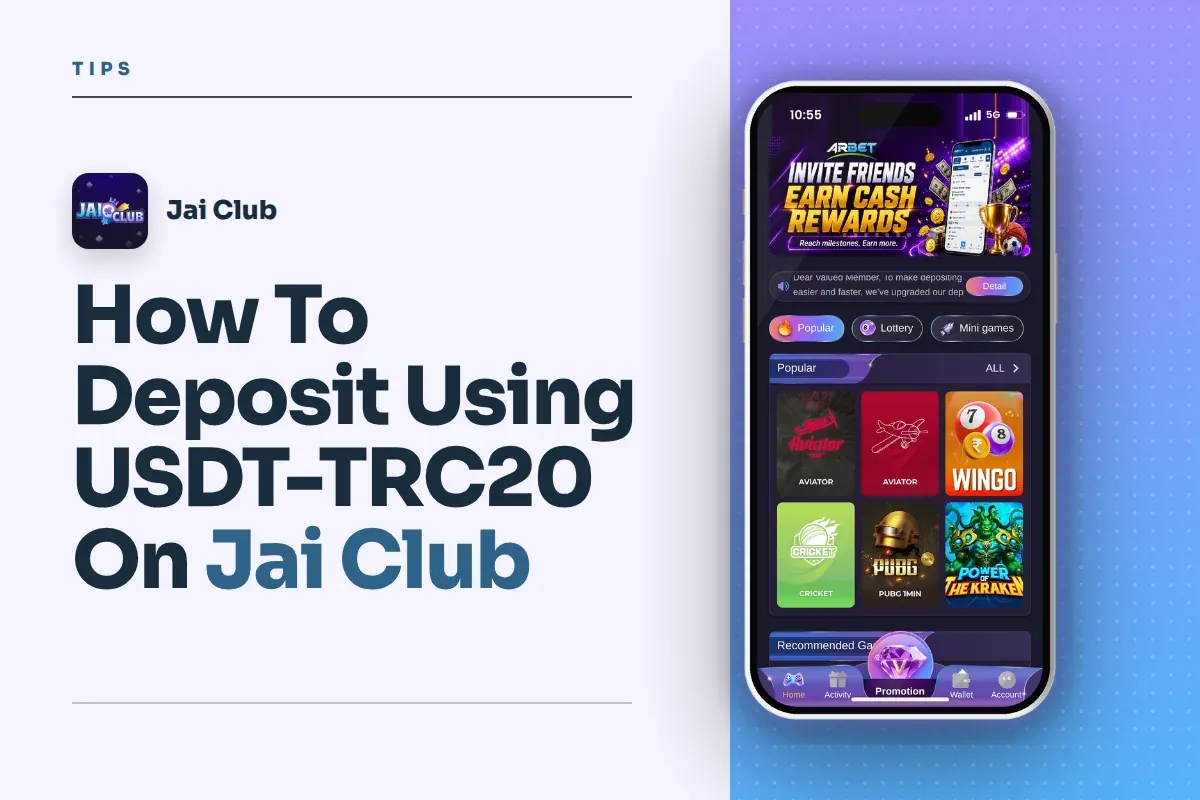
How To Deposit Using USDT-TRC20 On Jai Club
A Jai Club USDT deposit on TRC20 takes a few minutes: open Wallet, tap Deposit, choose the USDT-TRC20 tile, enter the amount, send USDT to the address shown and paste your transaction hash. The tile's minimum is 10 USDT, and anything less will not be credited.
Wrong network, wrong coin and wrong amount account for nearly all crypto deposits that fail. I've covered each one below, plus the steps to take if your balance stays unchanged after the transfer.
- Minimum Deposit
- 10 USDT (TRC20 tile)
- Network
- TRC20 (Tron)
- Coin Accepted
- USDT only
- Other USDT Option
- USDT-BEP20
- Proof Needed
- Transaction hash ID
- Where To Start
- Wallet, then Deposit
Jump To Section
What A Jai Club TRC20 Deposit Actually Is
A Jai Club TRC20 deposit means you send USDT (Tether, a dollar-linked stablecoin) over the Tron network to an address the app gives you. Once the transfer is confirmed, the platform credits your Balance so you can play.
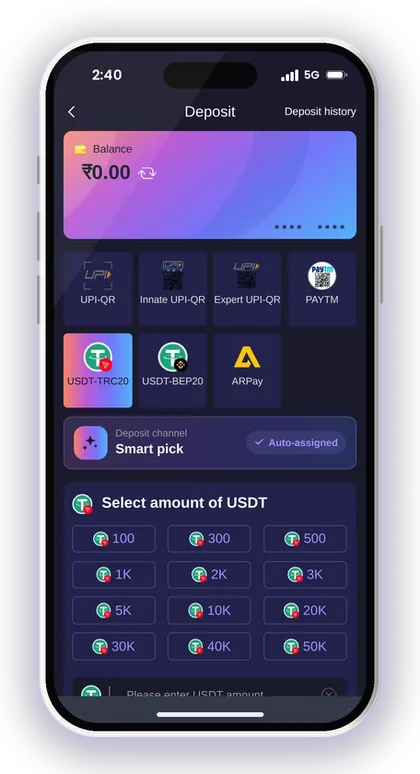
The Deposit page has two USDT tiles, USDT-TRC20 and USDT-BEP20, next to the UPI and ARPay options. TRC20 and BEP20 are different blockchains. The coin is the same, but the address format and the route the money takes are not, so the tile you pick must match the network you send on.
Players usually pick TRC20 because Tron network fees tend to be low and transfers confirm quickly. If you already keep USDT on an exchange, it is often the easiest crypto route into the app.
Before You Start: What To Check First
A deposit is possible only from a registered account. To sign up, you must give a phone number, a password, a verification code and an invite code, and the last one cannot be skipped. Type 385987864126 into the Invite Code box while registering on the Jai Club sign up page.
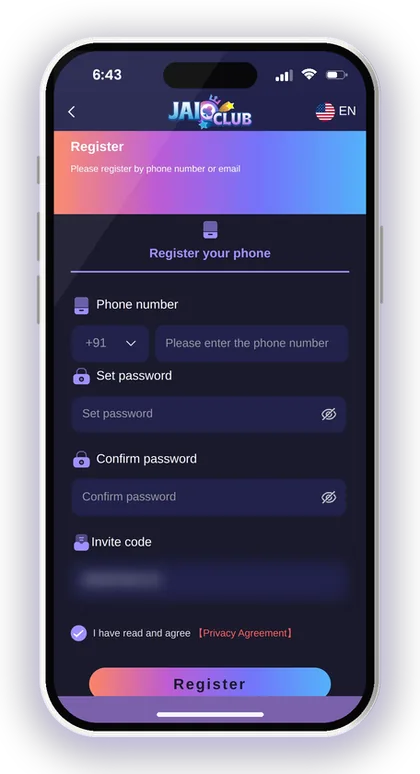
Next, check your crypto wallet or exchange account. You must be able to withdraw USDT on the Tron (TRC20) network, and you must hold enough to cover both the amount and the network fee your exchange charges.
- Your account is registered with the invite code 385987864126
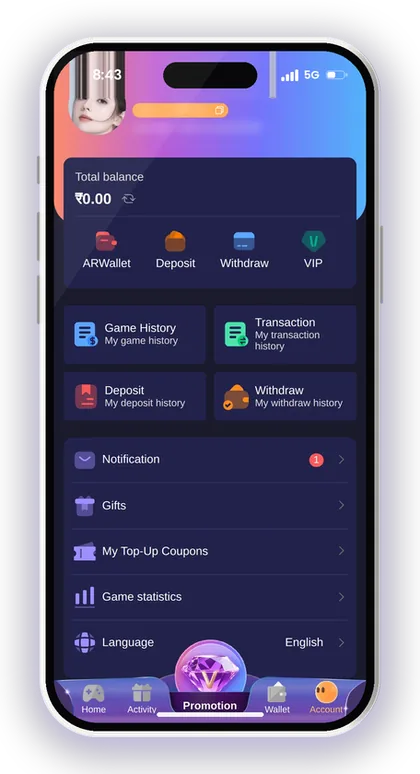
- You can log in and see your Balance on the Wallet page
- Your exchange or wallet supports USDT withdrawals on TRC20
- You hold at least 10 USDT plus the network fee
- You are on a private, trusted phone and internet connection
Smart Tip: If you cannot log in, reset your password first through the Jai Club forgot password steps with OTP instead of creating a second account.
How To Make A Jai Club USDT Deposit With TRC20
The whole process happens across two screens: the Deposit page, where you create the order, and the Deposit USDT screen, where you get the address and submit your hash. Follow the steps in order and do not close the app midway.
The app picks the channel for you through Smart pick, so there is nothing to choose there. Your job is to get the amount, the network and the hash right.
- Log in to the Jai Club App or mobile website and tap the Wallet icon.
- Tap Deposit and choose the USDT-TRC20 tile.
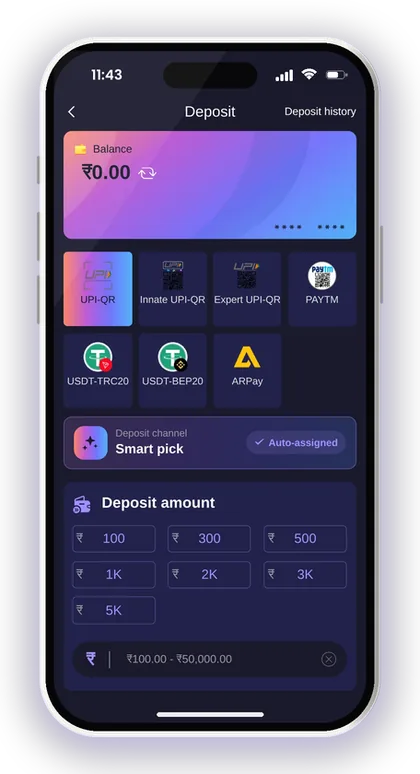
- Leave the channel on Smart pick (it is auto-assigned).
- Select or enter the amount of USDT you want to deposit (at least 10 USDT).
- Tap Deposit to create the order and open the Deposit USDT screen.
- Check that the deposit main network shown is TRC20, then copy the USDT deposit address.
- In your exchange or wallet, send USDT on the TRC20 network to that address, for the exact amount of your order.
- Copy the transaction hash ID from your exchange once the transfer is sent.
- Paste the hash into the Transaction/hash id box and tap Complete recharge.
Smart Tip: Use the copy button for the address rather than typing it by hand. A single incorrect character can send your USDT to a place from which it cannot be recovered.
Picking The Right Network: TRC20 Vs BEP20
The network is where most new crypto players lose money. When your exchange asks which network to withdraw on, it must match the tile you chose in the app.
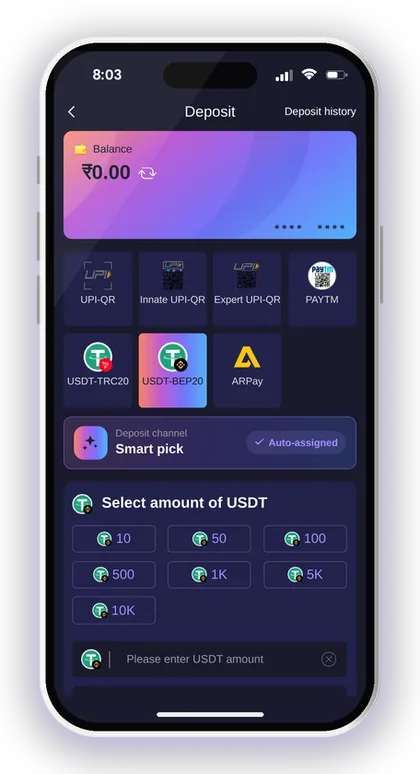
| Point | USDT-TRC20 | USDT-BEP20 |
|---|---|---|
| Blockchain | Tron | BNB Smart Chain |
| Coin accepted | USDT only | USDT only |
| Network to pick in your exchange | TRC20 / Tron | BEP20 / BSC |
| Minimum on the tile | 10 USDT | Check the tile for the current minimum |
What Happens If You Send On The Wrong Network?
If you choose TRC20 in the app but send on BEP20 or another chain, the transfer usually never reaches the deposit address, and the platform cannot credit it. Crypto transfers cannot be reversed by a bank or Customer Care.
The common mistake is leaving the exchange on its default network, which is often not Tron. Before you confirm, read the network name on the exchange's withdrawal screen and compare it with the deposit main network shown in the app.
When BEP20 Makes More Sense
Use the USDT-BEP20 tile if your USDT sits on BNB Smart Chain and moving it to Tron would cost an extra conversion. The steps are the same; only the network changes.
Do not mix the two in one order. If you created a TRC20 order, send on TRC20. If you have changed your mind, let the order expire and create a new BEP20 order rather than sending to the old address.
Jai Club USDT Minimum Deposit And Amount Rules
On the TRC20 tile, the Jai Club USDT minimum deposit is 10 USDT. Anything under 10 USDT is not credited, so sending 5 USDT as a trial just means losing that money.
The amount requirements are just as important as the minimum. According to the recharge instructions, what you transfer has to equal the order you placed, or the money cannot be credited. The platform states that it takes no responsibility for losses caused by a wrong amount.
Why Exchange Fees Can Break Your Order
Many exchanges deduct the network fee from the amount you send. Say you create a 20 USDT order and type 20 into your exchange; if the fee comes out of it, only around 19 USDT may arrive, and that no longer matches your order.
Before you confirm, look at the line that shows the amount the receiver will get. Adjust it so the arriving amount equals your order exactly. This one check prevents most stuck USDT deposits.
Should You Deposit A Small Or Large Amount First?
For your first USDT deposit, go slightly above the minimum, for example 15 or 20 USDT, so fees never push you under 10. That proves the route works without risking a large amount.
Once one deposit has arrived correctly, you know your exchange settings are right. Keep your playing budget fixed even then; a smooth deposit is not a reason to send more than you planned to spend.
Smart Tip: Save a screenshot of the order amount before you switch to your exchange so you can match it exactly.
The Transaction Hash: Why It Matters
The transaction hash, also called the TxID, is the unique ID of your transfer on the blockchain. Pasting it into the Transaction/hash id box lets the platform match your payment to your order.
You find it in your exchange's withdrawal history or your wallet's transaction details once the transfer is sent. It is a long string of letters and numbers; use the Paste button in the app so nothing gets cut off.
What To Do If The Deposit Does Not Show
Say you sent 20 USDT on TRC20, pasted the hash and your Balance has not changed. First open a Tron block explorer, search the hash, and confirm the transfer succeeded, went to the right address and shows the right amount.
When all three details are correct, open My deposit history on the Account page, then reach Customer Service within the app and share your hash along with a screenshot. Once the money is sent, do not cancel the deposit order, as the recharge instructions caution against this.
What If The Order Time Runs Out?
Each order has a time limit. If the transfer time is up, the instructions say to fill out the deposit form again, which creates a fresh order.
The safe habit is to have your USDT ready in your exchange before you tap Deposit in the app. That way you send within the time window and do not have to guess whether an old address still belongs to an active order.
Why Sending Other Coins Means Lost Funds
The deposit address only supports USDT. It does not support other cryptocurrencies, and the instructions warn that non-currency assets sent there will not be recovered.
So sending TRX, USDC, BNB or any token other than USDT, even on the right network, can mean the money is gone. Tron wallets can hold many tokens at once, and choosing TRX instead of USDT from the drop-down is an easy slip when you are in a hurry.
Keep your phone and connection secure while depositing too. Malware that watches the clipboard can replace a copied crypto address, so before sending, match the first and last few characters of the pasted address against the one shown in the app.
- Send USDT only, never TRX or other tokens
- Use the TRC20 network for the TRC20 tile
- Match the arriving amount to your order
- Check the pasted address against the app
- Never cancel an order after paying
Smart Tip: Customer service will never send you links; if someone sends you a different deposit address in a chat, ignore it and use only the address inside the app.
USDT Vs UPI: Which Deposit Method Should You Use?
USDT works well for players who already own crypto and wish to sidestep bank-related trouble. For most others, UPI is easier, since you can pay through PhonePe, Google Pay or Paytm without first buying crypto. You can see every method and its limits on the Jai Club deposit page with UPI and USDT options.
There is also ARPay, which runs through the AR Wallet. If you want to try it, read how to activate the AR Wallet and use ARPay before your first deposit.
Can You Withdraw Back To USDT?
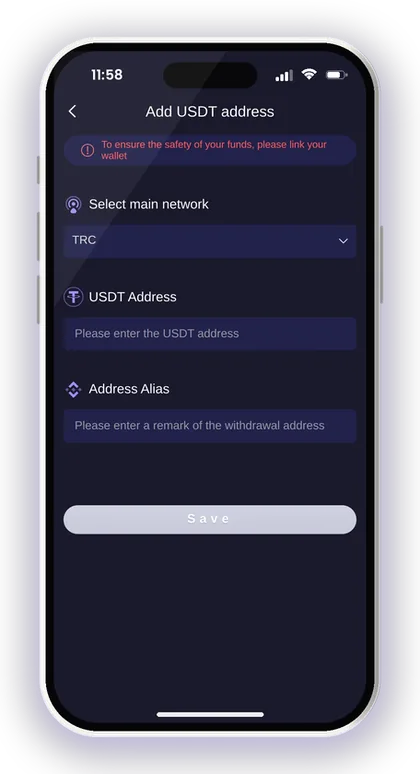
Yes, the withdrawal page has a USDT option alongside Bank Card, UPI and ARPay. You first add a USDT address on the TRC network and give it an alias so you can recognise it later.
The withdrawal limits and hours for USDT are different from UPI, so check them before choosing. The full rules are on the Jai Club withdrawal page. Double-check the saved address, because a wrong address on a crypto withdrawal cannot be reversed.
Do Bonuses Apply To USDT Deposits?
The Activity page lists offers such as First Deposit, the Cumulative 10Days Recharge Bonus and the First Deposit Loss Rebate. Each offer has its own conditions, so read the rules inside the offer before you deposit.
Do not assume every deposit method qualifies in the same way. Open the offer, check the amount and terms, and then decide. Current offers are listed on the Jai Club bonus page.
Safety Tips And Jai Club Hack Warnings
No Jai Club Hack exists. Apps or Telegram groups that sell a hack, prediction tool or a private USDT deposit address that doubles your money are scams. Game results are random, and anyone asking you to send USDT outside the app is trying to take it.
Use only the Jai Club Official Website or the app, and log in yourself instead of tapping links people send you. Keep your password, OTPs and exchange login private.
Real-money gaming is for adults 18 and over, and it carries a real risk of loss. Decide your budget in rupees before converting to USDT, and stop when it is gone. More payment and account topics are covered on the Jai Club blog.
Smart Tip: Set a monthly limit and deposit only once per session; repeated small deposits after losses add up faster than you expect.
Your Questions Answered
What is the minimum Jai Club USDT deposit on TRC20?
The USDT-TRC20 tile lists a minimum of 10 USDT. Deposits under 10 USDT are not credited, so keep exchange fees in mind when you send.
Can I send USDT on BEP20 to a TRC20 order?
No. The network must match the tile you chose. If you hold USDT on BNB Smart Chain, create a separate order with the USDT-BEP20 tile.
Where do I find the transaction hash?
It is in your exchange's withdrawal history or your wallet's transaction details after you send. Copy it and paste it into the Transaction/hash id box, then tap Complete recharge.
What if I sent a different amount from my order?
Your transfer must equal the order amount, otherwise the money cannot be credited. You can message Customer Service in the app with your hash and a screenshot, but a wrong amount may well stay unrecovered.
Can I deposit TRX or another coin to the address?
No. The address supports USDT only, and other assets sent to it will not be recovered.
Do I need an invite code to register before depositing?
Yes, the Register page requires an invite code. Put 385987864126 in the Invite Code box when signing up.
Should I cancel the order if my balance is slow to update?
No. Once the money has been transferred, leave the deposit order uncancelled. Look up the hash on a Tron block explorer, and if the transfer shows as successful, get in touch with Customer Service.
More Pages For You
Jai Club deposit steps for UPI, USDT and ARPay, with the ₹100 to ₹50,000 UPI limits, USDT network tips and fixes when your recharge does not show.
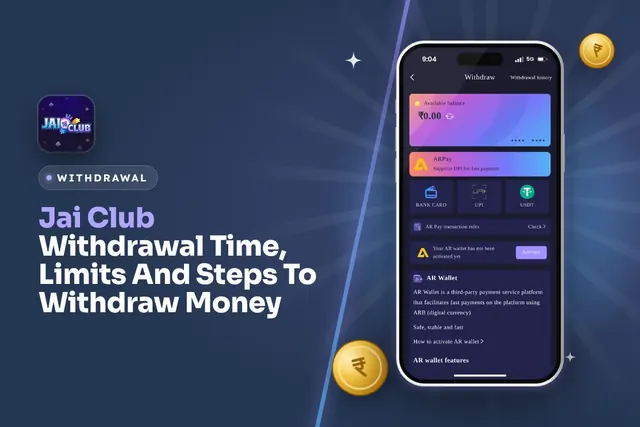
Jai Club withdrawal time and limits: UPI from ₹100, bank card from ₹110, USDT from ₹1,000, 3 withdrawals a day. Steps and fixes for pending requests.

Jai Club bonus offers explained: first deposit loss rebate, invite friends rewards, Super Jackpot, Lucky Roulette, gift codes, Point Mall and the rules.
Jai Club ARPay explained: what AR Wallet and ARB are, how to activate it, move your balance out, and sell ARB through UPI to get rupees in your bank.
Join Jai Club Today
Create your Jai Club account with the official link and the invite code applied.